


English to Spanish Translator
4.342.00 Reviews
App Specs
- Version
- 1.23
- Updated On
- License
- Free
- Downloads
- 50,000+
- Developer
- Let's Roll Apps
- Categories
- Education
- Platform
- Android
Screenshots
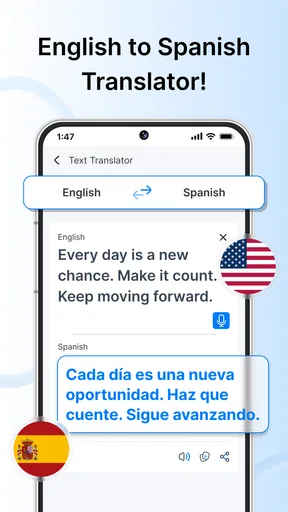
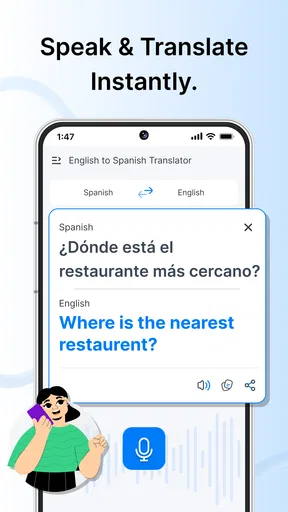
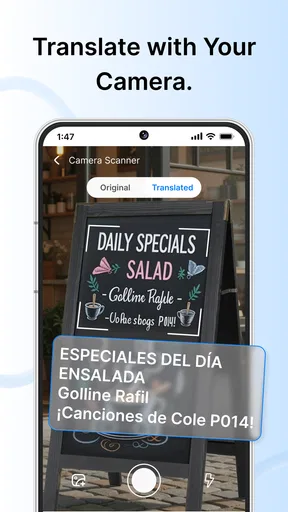
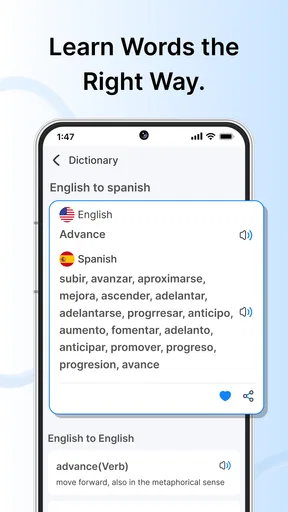
 Analysis by AppCompare
I tried English to Spanish Translator as a practical language-learning and translation app rather than treating it as something to open once and forget. Its appeal is immediate: when I needed to understand a Spanish phrase or turn an English sentence into Spanish, the app focused on that basic exchange without asking me to navigate a large course or a complicated language program. That makes it easy to imagine keeping it available for travel, study, messaging, or those small moments when a familiar word suddenly disappears from memory.
Created by Let’s Roll Apps, this free Education app is aimed at Teen users and runs on Android devices starting with version 6.0. The current version is 1.23, and the app has passed the early discovery stage with over ten thousand installs. Its average rating is 4.3 from roughly sixty ratings, alongside around seventeen written reviews. Those figures suggest a generally positive first impression, although they also remind me that the app has a smaller user base than the major translation tools most people already know.
How useful it feels after the first week
During the first few days, the strongest quality is convenience. I can picture using it while reading a Spanish menu, checking a short message, preparing a basic phrase before a trip, or helping a student understand a sentence. The English-to-Spanish and Spanish-to-English focus gives the app a clear purpose, so I do not have to decide whether I am opening a dictionary, a flashcard course, or a general-purpose language platform.
That narrow focus is especially helpful for beginners. A learner who is still building confidence may prefer translating one sentence at a time instead of being pushed through lessons, streaks, or exercises. I also find this approach less intimidating when I only need an answer quickly. The app can serve as a bridge between recognizing a word and understanding how it fits into a larger phrase.
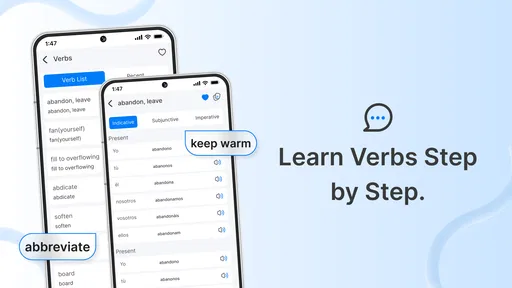
There is an important distinction, though: a translator is not automatically a teacher. I would use this app to support learning, not to replace structured practice. A translated sentence can help me communicate, but it does not necessarily explain why a particular verb form was chosen, whether a phrase sounds natural in Mexico or Spain, or how formal the wording feels. Anyone installing it should set that expectation from the beginning.
A realistic everyday routine
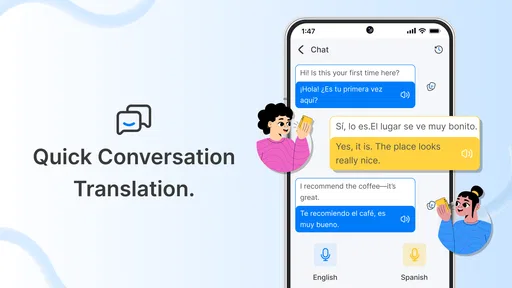
Imagine receiving a short Spanish message from a neighbor about a delivery. I could open the app, translate the message into English, understand the immediate request, and then prepare a reply in Spanish. That is a useful two-way workflow because it treats translation as a conversation aid rather than a one-direction lookup tool. For a traveler, the same routine could help with signs, simple questions, and short exchanges at a hotel or restaurant.
For study, I would use a two-pass method. First, I would translate the sentence to understand its meaning. Then I would read the original again and identify the words I already know before checking the result. This prevents the app from becoming a button I press without thinking. Saving unfamiliar phrases elsewhere for later review would make the tool more educational, even if the main task remains quick translation.
Worth Reading Before You Choose

Flipboard Shows What News Apps Must Do Beyond the Feed

Switching to Android Auto Means Rethinking Your Driving Routine

Google Calendar Makes a Crowded Week Easier to Manage

Ludo King Makes the Most of the Minutes Between Plans

Baby Panda World Brings Quick Play to Modern Phones, but Its Game Library Feels Busy

ESPN’s Live Game View Makes Following Close Games Easier
Another useful habit is to translate short chunks instead of long paragraphs. Short input makes it easier to notice where the meaning changes, and it reduces the chance of accepting a polished-looking sentence without understanding its parts. This is one of the less obvious ways to get more value from a simple translator: use it as a prompt for comparison, not just as an answer machine.
Where it fits beside familiar alternatives
Compared with a full language-learning app, this translator is less demanding and more immediate. A course-based alternative is better when I want pronunciation drills, grammar progression, repeated practice, and a clear study plan. This app makes more sense when the problem is situational: I need to understand or produce a Spanish sentence now.
Compared with a general translation service, its English-Spanish specialization may feel more focused. That can be a benefit for someone who regularly moves between these two languages and does not need a long list of unrelated language options. On the other hand, people who translate many languages, work with lengthy documents, or depend on advanced context handling may prefer a broader tool.
I would also keep a dictionary or grammar reference nearby if accuracy matters. A translator can provide a useful starting point, but an important school assignment, professional message, medical conversation, or legal document deserves human checking. The right question is not whether this app can replace every alternative; it is whether a focused bilingual utility is enough for the situations I actually face.
Whether it keeps earning space over time
I’d judge whether this app deserves a permanent spot by the kinds of Spanish you meet repeatedly, not by how often you open it in a single week. A useful test is to notice whether it helps with recurring messages, study notes, or travel phrases—and whether you still check the wording before relying on it. That everyday pattern also makes it easier to consider how comfortably the app fits different needs and situations.
The value of a recurring translation habit
The first-week novelty comes from solving immediate language problems. The longer-term value depends on whether Spanish appears regularly in my life. If I travel, communicate with Spanish-speaking friends or relatives, study the language, or encounter Spanish at work, the app has a reason to remain installed. Each small use can reduce hesitation and make everyday communication feel less dependent on guesswork.
For me, the best long-term role would be as a lightweight companion to another learning method. I might use lessons or a textbook for deliberate progress, then turn to this app when a phrase appears outside the lesson. That division of labor is sensible: structured resources teach patterns, while the translator helps me handle real-world interruptions.
It can also support a gradual vocabulary routine. Instead of translating everything automatically, I would first guess the meaning of a familiar-looking word, check it, and then write down only the words that repeatedly cause trouble. This creates a personal filter. The app remains quick, but my use of it becomes more selective and more useful over time.
There is a trade-off here. A tool that is always available can encourage dependence. If I translate every sentence before attempting to understand it, my confidence may not grow. I would therefore use it in two modes: immediate assistance when communication matters, and delayed checking when I am studying. That small change keeps the app from becoming a crutch.
What maintenance actually involves
The maintenance burden appears low because the app has a narrow purpose. I do not need to organize a course, manage a study calendar, or keep up with a social feed. Once installed, it can sit ready for occasional translation. That is a strong advantage for people who want a practical utility rather than another daily obligation.
Still, keeping a translator useful requires some personal maintenance. I need to review important translations instead of assuming every result is perfect. I should also remember the situation in which a phrase will be used: a casual message, a classroom exercise, and a formal request may require different wording. The app can provide the draft, but I remain responsible for choosing whether that draft fits.
The free entry point makes trying it easy, while in-app purchases range from $10.99 to $54.99 per item. I would pay attention to what is included before committing to any purchase and would not assume that paying automatically solves the limitations of machine translation. For occasional users, the free experience may be sufficient; frequent users should decide based on the exact benefits offered inside the app rather than on the existence of a paid option alone.
Because the app is available for Android 6.0 and later, it is compatible with a wide range of older devices. That is useful if I want a dedicated translation tool on a secondary phone or an older handset used for travel. At the same time, device compatibility does not guarantee that every translation situation will be equally convenient, so I would test my usual phrases before relying on it during an important trip.
Where long-term fatigue can appear
The main source of fatigue is repetition. If every use follows the same pattern—open the app, enter a sentence, read the result, close it—the experience may feel purely transactional after the initial curiosity fades. That is not necessarily a flaw for a utility, but it limits the emotional pull that keeps people returning to language-learning products.
Another possible frustration is context. Short phrases often have several valid translations, and a direct result may not explain the alternatives. A beginner could mistake one acceptable wording for the only correct wording. I would be particularly cautious with idioms, humor, regional expressions, and sentences where tone matters more than the literal meaning.
Longer input can create another practical problem. The more ideas I place into one sentence, the more opportunities there are for ambiguity. Breaking a message into separate thoughts gives me more control and makes it easier to spot an odd result. This is a simple but valuable workflow improvement, especially when preparing a reply rather than merely reading something.
There is also a motivational limit. Someone hoping for a complete Spanish program may quickly feel that the app does not provide enough structure. Without lessons, progress tracking, or active exercises, it will not by itself answer questions such as what to study next or whether pronunciation is improving. In that situation, a dedicated course is the better long-term investment, with this translator kept as a supporting tool if needed.
Who should install it
I think it is a good match for casual travelers, beginners handling short bilingual exchanges, students who need a quick language reference, and anyone who regularly switches between English and Spanish. It is also suitable for people who dislike overloaded apps and want a focused way to check a phrase without entering a full learning system.
I would be more cautious if I needed professional-grade translation, extensive language coverage, detailed grammar explanations, or a complete curriculum. A translator can save time, but it cannot provide the judgment of a fluent speaker in every context. For sensitive communication, I would use it as a draft and ask a capable person to review the final wording.
Parents and educators should also note the Teen content rating. That does not tell me how a particular student will use the app, so supervision and context still matter, especially when translation is being used for online conversations. The educational category makes the purpose clear, but responsible use remains part of the experience.
My long-term verdict
After the first-week appeal wears off, English to Spanish Translator earns its place only when I have a recurring reason to move between these languages. Its lasting strength is not entertainment or a deep progression system. It is the ability to remain a small, ready-to-use language aid for real moments: a message, a sign, a phrase, or a quick attempt at replying.
I like it most when I treat it as one part of a broader routine. I would use it for immediate clarity, compare short translations carefully, collect recurring vocabulary, and rely on lessons or human feedback for deeper improvement. That approach gives the app a useful role without asking it to do work it was not designed to handle.
My recommendation is straightforward: install it if your English-Spanish needs are frequent but practical, and begin with the free experience before considering any in-app purchase. Skip it if you want a full language course or need highly specialized translation. For the right user, the focused design can remain useful well beyond the first few days; for everyone else, its narrow purpose may make it feel unnecessary once the novelty fades.
Pros
- Works offline for downloaded language packs
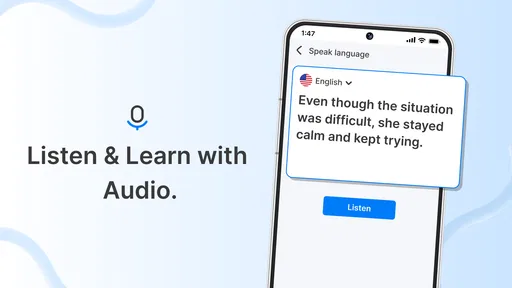
- Supports voice input for quick translations
- Includes camera translation for signs and menus
- Offers text-to-speech pronunciation assistance
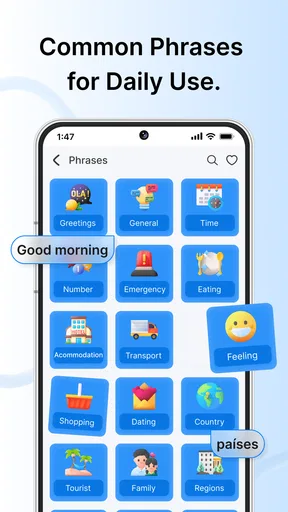
- Useful phrase suggestions help with everyday conversations
Cons
- Translation quality can vary with slang and complex sentences
- Some features may require an internet connection
- Voice recognition struggles in noisy environments
- Camera translations may be inaccurate with poor lighting
- Advertisements can interrupt the translation experience
FAQs for English to Spanish Translator
What is English to Spanish Translator, and who is it designed for?
English to Spanish Translator is a language app intended for travelers, students, workers, and anyone who needs quick translations between English and Spanish. After testing its main functions, I found it most useful for short phrases, everyday conversations, vocabulary checks, and basic written communication. It is not a complete replacement for a professional translator when accuracy, tone, or specialized terminology is especially important.
Can English to Spanish Translator work without an internet connection?
Offline availability depends on the specific version of the app and whether language data can be downloaded in advance. Users should check the app’s settings and store description before relying on it during travel. Online access generally provides better results and may be necessary for voice recognition, pronunciation features, or longer translations. Downloading language packs beforehand is recommended whenever offline support is offered.
Does the app support voice translation and pronunciation?
Many English-to-Spanish translator apps include voice input, text-to-speech, or pronunciation tools, although the exact features can vary by device and app version. These options are helpful when ordering food, asking for directions, or practicing spoken Spanish. Voice recognition may struggle with background noise, accents, or unclear speech, so checking the written translation before using it in an important conversation is a sensible precaution.
Are the translations accurate enough for travel, school, or professional use?
The app can be very convenient for common expressions, simple sentences, and everyday travel situations. However, automatic translation may misunderstand slang, regional expressions, grammar, or words with multiple meanings. It should be treated as a helpful language aid rather than an authority. For legal, medical, academic, or business documents, users should review the result carefully or consult a qualified human translator.
Is English to Spanish Translator free, and does it contain ads or in-app purchases?
The download may be free, but some versions can include advertising, premium features, subscriptions, or one-time purchases. Common paid extras may include removing ads, unlocking offline language packs, increasing voice-translation access, or adding advanced tools. Before installing, review the current Google Play or App Store listing and the permissions requested so you understand the cost and privacy conditions.


